Sometime, after reading
an email, you want it to return to your inbox after a few days. With
the following Google script, you can do so:
1. Create a new Google script with the following code:
------------------------------------------------------------------------------
var MARK_UNREAD = true;
var ADD_UNSNOOZED_LABEL = false;
function getLabelName(i){return"Snooze/Snooze " + i + " days";
}function setup(){// Create the labels we’ll need for snoozing
GmailApp.createLabel("Snooze");
for(var i = 1; i <= 7; ++i){
GmailApp.createLabel(getLabelName(i));
}if(ADD_UNSNOOZED_LABEL){
GmailApp.createLabel("Unsnoozed");
}}function moveSnoozes(){
var oldLabel, newLabel, page;
for(var i = 1; i <= 7; ++i){
newLabel = oldLabel;
oldLabel = GmailApp.getUserLabelByName(getLabelName(i));
page = null;
// Get threads in"pages" of 100 at a timewhile(!page || page.length == 100){
page = oldLabel.getThreads(0, 100);
if(page.length >0){if(newLabel){// Move the threads into "today’s" label
newLabel.addToThreads(page);
}else{// Unless it’s time to unsnooze it
GmailApp.moveThreadsToInbox(page);
if(MARK_UNREAD){
GmailApp.markThreadsUnread(page);
}if(ADD_UNSNOOZED_LABEL){
GmailApp.getUserLabelByName("Unsnoozed")
.addToThreads(page);
}}// Move the threads out of "yesterday’s" label
oldLabel.removeFromThreads(page);
}}}}
Next,
save it and run the “Setup” function. This will add several new label
to your Gmails (such as “Snooze for 2 days”, “Snooze for 7 days” etc.)
Lastly, just add a trigger for “moveSnoozes” to run everyday. Now,
emails marked with the “Snooze” label will return to the inbox with
unread status after the number of days have passed. (via Gmail blog)
2. Send SMS for important emails
This Google script make use of the Google Calendar’s SMS feature to send you SMS for important emails.
1. Create a new Google script with the following code:
--------------------------------------------------------------------------------------
function Gmail_send_sms(){
var label = GmailApp.getUserLabelByName("Send Text");
if(label == null){
GmailApp.createLabel('Send Text');
}else{
var threads = label.getThreads();
var now = new Date().getTime();
for(var i = 0; i < threads.length; i++){
var message = threads[i].getMessages()[0];
var from = message.getFrom();
var subject = message.getSubject();
CalendarApp.createEvent(subject, new Date(now+60000), new Date(now+60000),
2. Save it and set a trigger for it to run every 5 minutes.
3.
Lastly, you have to set a filter to add the “Send Text” label to all
important incoming emails. The script will scan your inbox every 5
minutes and when it detects an email with the “Send Text” label, it will
create an immediate event in Google Calender which will then trigger
the SMS.
3. Schedule email to send at a later date
Boomerang
is one web service that you can use to schedule emails to send at a
later date, but that requires you to install a browser extension. Gmail Delay Send is a Google Script that can do the same task.
1. Go to this link
and click the “Install” link. Once you have authorized the script to
access your Gmail, it will redirect you to another page where you can
configure the script.
2.
Once configured, you can then proceed to draft an email and include the
future date/time for it to send and save it as draft with the
“GmailDelaySend/ToSend” label.
4. Save Gmail message as PDF in Google Drive
If
you have an email that you want to archive in Google Drive, you can use
Google script to save it as PDF in your Google Drive account. The
following script will save all the messages in an email thread as one
PDF file in your Google Drive. If it comes with attachments, it will
create a folder and store the messages and attachments within.
1. Create a new Google script with the following code:
-----------------------------------------------------------------------------------------
function save_Gmail_as_PDF(){
var label = GmailApp.getUserLabelByName("Save As PDF");
if(label == null){
GmailApp.createLabel('Save As PDF');
}else{
var threads = label.getThreads();
for(var i = 0; i < threads.length; i++){
var messages = threads[i].getMessages();
var message = messages[0];
var body = message.getBody();
var subject = message.getSubject();
var attachments = message.getAttachments();
for(var j = 1;j<messages.length;j++){
body += messages[j].getBody();
var temp_attach = messages[j].getAttachments();
if(temp_attach.length>0){for(var k =0;k<temp_attach.length;k++){
attachments.push(temp_attach[k]);
}}}// Create an HTML File from the Message Body
var bodydochtml = DocsList.createFile(subject+'.html', body, "text/html")
var bodyId=bodydochtml.getId();
// Convert the HTML to PDF
var bodydocpdf = bodydochtml.getAs('application/pdf');
if(attachments.length >0){
DocsList.createFolder(subject);
var folder = DocsList.getFolder(subject);
for(var j = 0; j < attachments.length; j++){
folder.createFile(attachments[j].getName(),attachments[j].getBytes());
}
folder.createFile(bodydocpdf);
}else{
DocsList.createFile(bodydocpdf);
}
DocsList.getFileById(bodyId).setTrashed(true);
label.removeFromThread(threads[i]);
}}}
2.
Save it and set a trigger for it to run at regular interval. Whenver
you want to save an email and its attachments to Google Drive, simply
tag it with the “Save to PDF” label.
With
Google Script, there are tons of things that you can do to your Gmail,
Google Docs, Calendar and various Google Apps. If you have any other
Google script that you use to make your life better, feel free to share
them with us in the comment.
Google Now is Google's predictive search service that uses all the info it knows about you to predict what type of data you'll be interested in; it then presents this data in the form of cards. These can show a multitude of things including weather in your current location, traffic jams, movie tickets and so on. Now is a very impressive service that only gets better the more you use it; it also makes a big difference if you use other Google service such as Gmail, Docs and Calendar.
Google Now has been integrated into the iOS Google Search app and is now accessible to users through a simple upgrade in the App Store. After updating, folks still have to activate the service by signing into their Google Accounts and giving the app permission to run.
There a few major differences between the way the app works on Android and its iOS counterpart. The iOS version is somewhat lighter and it can't currently provide all the same information that the service provides on Android. Cards for airline boarding passes, nearby events, and others don't currently work on iOS.
Another major difference is that the iOS version of Google Now doesn't use push notifications. Google says they are currently investigating the best way to make use of such notifications but for now, Apple's customers will need to actually open the app in order to see the info cards. And lastly, Now doesn't use GPS location info, it only uses Wi-fi. This preserves battery life but it also decreases the accuracy of the info users receive.
All in all, the app is fairly impressive especially for v1.0 and if the company continues to update it regularly and bring it up to par with its Android offering, then iOS users are certainly in for a treat.
In this article I’ll share what Facebook’s Graph Search is, how it works and how it fits your marketing strategy.
What Is Graph Search?
Graph Search is Facebook’s latest revision to the search feature that helps users find connections to people and places that have always existed in the graph.
In a sense, it’s a clean interface into the breadth of Facebook data that people have entered into Facebook, but contextualized to each user.
Watch this video introducing Facebook Graph Search.
Think about that for a moment. Facebook’s new Graph Search serves up personalized search results in real time based on a person’s graph, and it does this for over 1 billion people.
Kudos to the Facebook engineering team for this major achievement.
As you’ll see below, it’s early for Graph Search. The features and use cases haven’t been fully fleshed out. And Graph Search is still in a very limited beta program.
But this first version gives us clues about how Facebook may evolve and the strengths on which they’ll try to build.
Walkthrough of Facebook Graph Search
Let’s start with a search about one of my favorite foods—bacon!
In the screenshot below, you can see a search for “bacon” in the old Facebook search format. Search results provide a listing of Pages, People and Places with the search term “bacon.”
A search query for “bacon” in the existing, original Facebook Search format.
This is helpful if you’re looking for something that includes “bacon” in the title of the Page, a person/profile or a place. But it doesn’t give you any insight into all of the other places on Facebook where there may be relevant social context to bacon. Who likes it? Who has commented on it? What else can the social graph tell us about friends and bacon? The original Facebook search does nothing for you if you want to know these things.
This is dumb search, in essence, not unlike what we experienced with the first search engines in the late 1990s.
Facebook’s Graph Search
Now let’s walk through a Graph Search for bacon. Here’s what you see when you use a semantic search for “bacon” on Facebook.
Facebook Graph Search results for “bacon.”
Note that I’m provided with suggestions related to the search term I’ve entered. You can get to the Facebook Page for bacon, the Interest, the People who like bacon, My Friends who like bacon, photos of bacon, web searches of bacon and bacon wrapped water chestnuts.
Who knew?
To navigate to one of the semantic search options, you can use the tab key to go a level deeper to find the people or Pages that you want.
This is really Facebook’s first foray into what is known as semantic search. Put simply,semantic search is a concept referring to technologies that make a search respond to what the user enters to try to better understand what the user wants to know.
Think of it as interaction between the search technology and the user to provide better search results. Search engines have done this for several years now when they fill out your search box for you and provide suggested keywords. It’s employing technology to get you closer to your answer without your direct intervention.
Semantic search is a relatively new technology, so you have to accept this as an ongoing evolution and not a revolution. Semantic search is getting better every day, but has a long way to go to be precise based on your interests and behaviors.
Search for Facebook Interest Pages
Here’s a look at the bacon Interest Page to see if there are any changes. Sure enough, there are. You get additional information on the interest provided byWikipedia. OK, that’s useful.
Screenshot of the bacon Interest Page.
Additionally, you can immediately see who among my friends likes bacon, as well as photos that are captioned with the word bacon. This was discoverable before, but not nearly as easily. Overall, the Interest Page layout is different and improved in order to make social context clearer to the user.
You may notice as well that at the top of the screen, the URL carries a ?sid=0.002…code. The implication here is that Facebook is tracking how people use Graph Search in order to improve the product.
Note the code at the end of the URL for this search.
Additionally, the Interest Page includes posts by friends about bacon and Related Pages, which are in the screenshot below. It’s interesting that these posts are not individually mined by Facebook and made searchable, although I suspect that’s a forthcoming feature for Facebook’s Graph Search.
Finally, wistful posts from my friends about bacon. People just love bacon.
Search with the “Friends Who Like” Option
Continuing on in the semantic search, there’s an option in the Search Bar for “My Friends who like bacon.”
In the screenshot below, you’ll see a long list of my surely cholesterol-challengedFriends who like bacon.
My friends who like bacon, provided by Facebook’s Graph Search.
You’ll see a long list with the ability to refine your search on the right side of the screen. This appears to be sorted by the number of friends and subscribers for these items.
At the top of the list is Brian Carter, a fellow author and speaker. Interesting that I don’t interact with him all that much, but he’s at the top of my list. I’d have expected this to be sorted by the number of interactions we’ve had rather than social reach. But that’s something Facebook can tweak later.
In the right-hand sidebar, you can narrow your search further to find specifically who you’re looking for. Additionally, at the bottom right of the screen is a link to “More Pages they like.”
Curiosity kills me, so I decide to take a gander at that one. Not a lot of surprises here. As you can see, I have supportive friends who like my book, Austin, eating healthy and technology. Yep. Sounds about right.
This is a handy tool to identify Pages you should like. Interestingly, these are not sorted by the number of Page likes, but rather the number of friends who like each Page.
Pages liked by my male friends who also like bacon.
If I go back to the top of the screen and click the search box, I get another level of friends who enjoy bacon. Now Facebook’s semantic search technology combines your groups and affiliations with your search term, in this case “bacon.” Presumably this is to give you the best opportunity to find people with intersecting interests and commonalities. Clever.
I use the feature to find a friend or two in each category. I wouldn’t necessarily call this “intelligent,” but if it were hooked up to Siri on my iPhone, I’d be simultaneously amazed and creeped out by now.
Next level of Facebook’s semantic Graph Search—suggesting I look at people from my groups and past affiliations who also like bacon.
In the “bacon” search results in the image below, you’ll notice “Photos of Bacon.” When you click the search box here, you are again presented with additional semantic options. In this case it’s “Photos of Bacon taken in Austin, Texas.”
Facebook’s Graph Search providing another level of semantic context beyond Photos of Bacon.
This is designed to get you closer to the search result you want. It reads from your profile to see your location. In this case I’m in Austin, TX and Graph Search tries to match your search term to something that is likely relevant to you.
There are not a lot of options here for this semantic search of Photos of Bacon, but remember this is a new technology that will improve over time and will include more data as time goes on.
Search to Find a Local Business
Are you hungry for lunch and craving a hot dog? Let’s use Facebook to find something.
A search for “hot dogs” gives the following results:
A Facebook Page for a local Austin restaurant
A restaurant in Lesage, WV
The Place Page
The Hot Dogs Interest Page
Hot Dogs from Baja California
A search for “hot dogs” yields disappointing local results.
It’s curious why these particular search results for “hot dogs” come up, and none of the thousands of other places between Austin and Lesage, WV. Do hot dog restaurants not market themselves on Facebook? Doubtful. And if you’re a marketer for a company selling hot dogs, how do you get on this list? Can you even break into Graph Search?
I’m surprised that chains that sell hot dogs, such as Sonic or Dairy Queen, are not listed here while Hillbilly Hot Dogs is. This isn’t terribly impressive, but I’ll chalk this up to necessary cleanup for the Graph Search beta.
Let’s investigate the only viable option for me here—Frank Hot Dogs. The first thing that jumps out is the redesigned Facebook Page that really looks more like a Yelp orGoogle local business listing. Address, website and map are all prominently displayed, as is the social context of my friend who likes Frank.
Frank Hot Dogs in Austin, TX.
Below the fold is also a listing of other local businesses near Frank, where you can presumably walk off your lunch. Notice in the image below that the listings in the “Places Near Frank” are sorted by the number of likes each local business has.
It’s interesting that social proof (in the form of a like) is used to build out your choices, even though Frank is in downtown Austin and is surrounded by other options.
Places near Frank Hot Dogs.
Search for Hot Topics and What Friends Are Saying
One final scenario here—let’s look at how Graph Search can help us find conversations on Facebook that would interest us.
Apple has been in the news a lot lately with earnings announcements, popular products and conjecture about the company as a stock investment.
Here’s what Facebook has to offer for a search of “Apple”: an Interest, a Sponsored app (interesting), Applebee’s, Apple for Education (?), the Apple Store and Apple as a Place.
Here’s a Graph Search for “Apple.”
When you click Apple, Inc., you get a new set of semantic results. This is significantly better—as I have friends who work at Apple, I was expecting to see that. But it’s several levels down and requires you to go through several steps to find it.
So usability is an issue, and in the efforts to create something “semantic,” Facebook might have made it somewhat difficult to navigate, at least today.
Also note that there is no mention of status updates or comments that people have made about Apple. I’d really like to see that in one place.
The RealPlayer is the first product that integrates Real's revolutionary new Harmony technology. RealPlayer enables consumers to buy and download music that plays on more than 100 portable devices, including the Apple iPod. RealPlayer is the only digital-media player you need for finding and downloading new music, playing and managing audio and video clips, and taking your digital entertainment with you. RealPlayer offers a streamlined interface that allows you to keep your media library close at hand. Keep all your digital-media clips organized in one place; save CD tracks with one click; pause and rewind live streams; transfer music to CDs and portable devices effortlessly; and enjoy clear, smooth video playback and multichannel, surround-sound support. Helix Powered RealPlayer is the all-in-one digital media player that lets you find anything and play everything. This popular streaming-media player offers improved video controls and access to 3200 radio stations.
NEW YORK (CNNMoney) -- Google just took your phone a step closer to replacing your wallet in the mobile payment revolution.
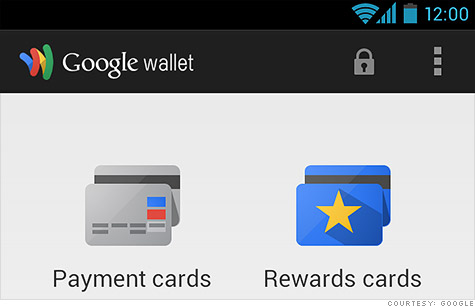
The company expanded its mobile payments platform, Google Wallet, to accept multiple credit cards. Users can now connect their Visa (V,Fortune 500), MasterCard (MA, Fortune 500), American Express (AXP, Fortune 500), or Discover (DFS, Fortune 500) cards with the new version of Google Wallet. It's an update from the company's previous partnership with MasterCard, Citigroup and Sprint.
Instead of swiping a card, users enter their card info into the service and are able to tap their phones at venues accepting Google Wallet payments. It's a step forward for the company looking to delve into the mobile payment realm - an increasingly crowded space.
The latest update also provides a cloud-based version of the app -- a move Google (GOOG, Fortune 500) hopes will provide more security for users. The feature allows users to remotely disable Google Wallet if a phone is lost or stolen.
Google Wallet only works on near-field communication (NFC) -enabled devices, and is limited to Sprint (S, Fortune 500), Virgin Mobile devices and the Nexus 7 tablet.
There are now twenty-five national retailers -- from Macy's (M, Fortune 500) to Duane Reade -- accepting Google's mobile payment app and according to Google's post about the update, 200,000 locations where people can use Google Wallet.
While it's a step forward, Google admits it still has a long way to go. Most people haven't ditched their wallets for smartphones and several phones on the market don't have NFC capability, which is integral for Google Wallet.
"Changing behavior is very difficult," Robin Dua, who heads product management for Google Wallet, told CNNMoney. "This evolution will require retailers and issuers to make changes, and it's going to take some time."
But Dua says the process has started. The product manager pointed out that smartphones manufactured with NFC chips are becoming standard.