Back in September, it was in fact iOS 6 that went wild a couple of days prior to the iPhone 5’s release. There were issues reported with the OS the big one being the mapping issues. Well now, iOS 6.0.1 has arrived and while it’s not a major update, mapping issues still withstanding, the update fixes a number of issues around cell data and W-Fi.
List of included fixes in iOS 6.0.1.
One of the other issues that users discovered was the OS' inability to switch between available and connected Wi-Fi networks and cellular data, resulting in users receiving massive bills from their carriers.
The only mention of Wi-Fi issues being resolved is the improved reliability of the iPhone 5 and iPod touch (5th) when connected to encrypted WPA2 Wi-Fi networks. Apple may have said they would be fixing the issue in the 6.0.1 update, but even Apple’s KB page around the 6.0.1 update doesn’t give much detailed information about what issues the update actually resolves. So hopefully this is
If anyone, who suffered from the cell/Wi-Fi data issue in the first instance, has updated to iOS 6.0.1, we’d love to hear if it’s fixed the problem, or if it has caused other services to break on you.
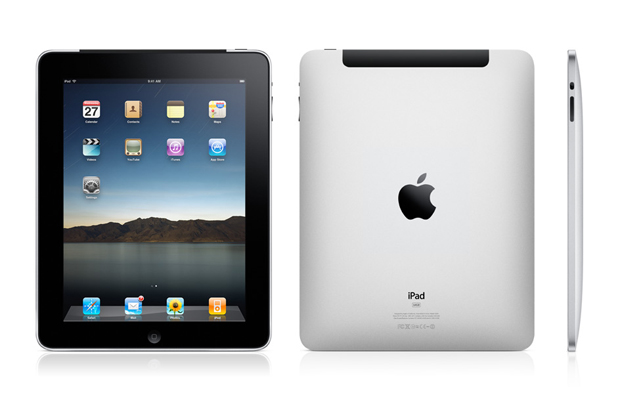
iPad 2 has option that allows user to change the language. This can be done using the iPad 2 settings. To change the display language on your iPad 2
Tap the settings icon in the Home screen.
Navigate to General settings and the scroll down to International Option
In the International screen, tap the Language option.
This would display the following list of languages that are available for your iPad. Select the preferred language from the dropdown list and Tap the Done option.
For example if you have changed language from English to Spanish then the following screen would appear and iPad will be rebooted with Spanish.
And now you notice the change of language in your iPad home screen.
want to know the best iPhone apps to download in 2012? What about the free Android apps to get you through the next twelve months? T3 has got your app life covered...
To help you in the quest to load up your smartphone with the best time-killers and apps to make the most of the year ahead, we’ve handpicked apps across the platforms that warrant your immediate attention.
So whether you’re an Apple iPhone 4S user, a Google Android lover, aBlackBerry fiend, or a Windows Phone 7 newbie, switch on your Wi-Fi or 3G to download our selection of this month’s hottest apps.
Remember you can check out the latest iPhone, iPad, Android, Windows Phone 7 and BlackBerry apps rated and all in one place in the T3 App Chart.
Stay.com
Avoid costly overseas roaming charges with offline maps and points of interest for 120 cities worldwide. Add your own gems as you find them.
Don’t trust big Raymundo? Find out the real-time odds for the game you are watching on the TV by aiming the phone camera directly at the screen and increase your chances of big payout.
Find pubs and bars with music that is more to your taste with this GPS powered app that also let's you choose the tunes in selected Secret DJ venues across London and Brighton. Pick enough dancefloor fillers and you will be annointed Secret DJ of the bar. Throw on some Kajagoogoo and you can never show your face again.
More than 15 million tracks are on offer, with social features, access to weekly genre charts and new releases... sound familiar? Rdio sure has a similar sub structure to its rival, yet puts more influence on what your friends are listening to, with a cool and calm design for those tiring of old Spotters’ dingy and archaic interface.
Get real-time traffic info for your route, including recent accidents. Bit of a jam buff? Check out the traffic in other locations, be they near or remote.
Microsoft tried making its Windows 8 tablets more convenient by introducing a Touch Cover that includes a built-in keyboard, but other manufacturers hope you want even more traditional laptop trappings with your new Windows 8 slate. While a number have teased so-called hybrid or convertible models -- which usually consist of a detachable or hinged tablet and a traditional laptop keyboard -- it's only in recent weeks that they have started firming release plans.
First, Lenovo confirmed a couple of weeks ago that it's introduing the IdeaPad Yoga convertible device for both Windows 8 and Windows RT flavors. Now, Samsung has plastered its Facebook page with an image of what appears to be its Series 5 Hybrid PC with a tagline that implies that more details will be revealed this week at the IFA 2012 trade show starting this Wednesday in Berlin.
Whereas the Yoga uses a 360-degree hinged design that folds the tablet back onto the keyboard section, the Series 5 Hybrid PC lets you detach the tablet and then reattach it via a magnetic dock. According to Engadget, it will possess a screen size of about 11 inches, run on an Intel processor -- meaning that it will use the "full version" of Windows 8 (i.e., no ARM-based Windows RT version) -- and include a stylus like the one used on the recently released Galaxy Note 10.1.
Whether these convergence devices will actually sell remains to be seen, and there's plenty of skepticism about the future success of Windows 8 hybrid portables (including from ZDNet's own Larry Dignan). We already know that tablets running the full version of Windows 8 will sell for several hundred dollars, and adding hinges and magnetic docks will only raise the sticker price on convertible models. Wil there be enough convenience in the hybrid devices to make them worth the extra cost?
iOS 6, the latest generation of Apple's mobile software for iPod touch, iPhone and iPad, has finally been unveiled - and from what we've seen so far, it's going to delight an awful lot of iOS users.
From badly-kept secrets to things that have been on wishlists for what seems like forever, here are the highlights.
The iOS 6 release date is Autumn
iOS 6 was released as a beta today, but the final version will ship "this Fall".
iOS 6 introduces Passbook
Passbook is Apple's new e-tickets app, enabling you to carry electronic tickets for anything from sports events to plane travel, or to have a digital loyalty card. The tickets update too, so for example your airline ticket would send you a notification once your departure gate was announced or changed. Hopefully enough firms will support this one to make it work for all our everyday bits and bobs.
Update: It you fancy seeing PassBook in action on an iPod in Hong Kong airport, then you're in luck because the chaps over as PassK.it have given it a spin - shame the airport wasn't ready for it though! Check out the video below.
iOS 6 has an improved phone app
The revised phone app offers smart reminders, so for example you can reject a call with a message saying you're busy, on your way, lost in a forest... You can also be reminded to call someone back when you leave your current location.
The new Do Not Disturb mode is particularly nifty: when new messages arrive, they do so silently and without the screen lighting up. If you wish, you can also tell your iPhone not to silence calls from a list of favourite callers, or to automatically silent repeat calls from the same person.
iOS 6 has Facetime over 3G
To tell the truth, we're amazed it took so long. If this takes off, the mobile operators will be very sad. Unless we use it abroad, in which case they'll be dancing on great big piles of our money.
iOS 6 has a brand new Safari app
There are lots of useful improvements here: Instapaper-style offline reading, iCloud tab syncing and photo sharing website integration to make uploading less hassle. Less wonderfully, Smart App Banners enable websites to tell you about their sodding iOS apps more easily, which is just brilliant. Who among us hasn't thought, "man! I wish more websites told me about their iOS app on each visit!"?
iOS 6 Mail has VIPs and pull to refresh
Pull to refresh is here! Yay! You can also create a list of VIPs whose messages will appear on your device's lock screen and in a dedicated, separate mailbox. Sharing photos or videos from within Mail is finally here too, as are per-account signatures.
iOS 6 photo sharing is more selective
Instead of sharing everything with everyone, you can choose which photos should be shared with which people. We're not sure why you'd use this rather than, say, put a friends-only album on Facebook or Flickr. Anyone?
So how do the new iOS 6 features stand up against Android 4.0 Ice Cream Sandwich? We compare maps, browsers and voice assistants:
iOS 6 makes Siri more serious, and puts it in cars
Siri is able to understand a wider range of questions than before - the demo showed it understanding questions about sports scores, statistics and trivia, booking restaurants and finding out what's worth seeing at the cinema - but as yet it's unclear which, if any, of these features will make it to the UK. Local search is being rolled out worldwide, however, and there's support for more languages.
Siri is also going mobile: the new Eyes Free feature will put a Siri button on the steering wheel of Jaguars, Land Robers, BMWs, Mercs, Toyotas, Chryslers, Hondas, Audis and GM cars. The manufacturers have promised to support the feature in the next 12 months.
iOS 6 brings Siri to the iPad
...but only the new iPad.
iOS 6 has Facebook integration
Apple promises "the best Facebook integration ever in a mobile device", and to our eyes it looks pretty much the same as iOS 5's Twitter integration: you can post photos, locations, URLs and so on to annoy your friends. The API is public, so non-Apple apps can share to Facebook too, and you'll be able to see your Facebook friends' App Store recommendations.
iOS 6 has guided access for children
The new Guided Access feature enables you to disable certain parts of the screen so that children can't accidentally hit the wrong buttons. We're going to use it on the in-app purchase icons in every kid-targeted iOS game. Hahah!
iOS 6 has a new Maps app
New York, London, Paris, Munich, everybody's talking about - iOS 6 maps! Well, maybe not, but Apple's much-rumoured mapping system finally breaks cover. It's pretty, will have traffic information, doubles as a sat-nav system with turn-by-turn navigation, can be controlled via Siri and will probably be rubbish outside major metropolitan areas in the UK. Still, the new Flyover 3D views of major cities are lovely.
Update: It's been confirmed that Yelp, a social networking, user review, and local search service, will be integrated into Apple's new mapping software - allowing you to check out restaurants, bars, clubs and cultural venues.
Update:Google is clearly concerned about loosing a huge percentage of the mapping market, as it's slashed the price of its Maps API by 88 percent following Apple's announcement of its own service.
Update: And Google isn't taking Apple's decision to dump it lightly, as it has rolled out its own 3D mapping update to the Google Earth iOS app - months before we'll see Apple launch its version. How do like them Apples?
Update: Apple is determined to dump Google Maps completely from iOS 6 - as it's been revealed that all third-party apps which previously used Google Maps will be redirected to Apple's new service.
iOS 6 dedicated Podcast app
A report from AllThingsD suggest that Apple may be about to givePodcasts their own application within the forthcoming iOS 6 software.
iOS 6 doesn't require password for free apps
With iOS 6, users won't be asked to enter their password every time they want to download a free application.
Once you have linked your iTunes account to your iOS 6 toting iPhone/iPad/iPod you won't need your login details again - unless you want to make a purchase, you know, with actual money. You also won't be asked for your password if you are re-downloading a previously purchased app.
iOS 6 has in-app purchase protection
In iOS 5.1 some naughty sods found a loophole which allowed them to steal in-app purchases, which may have cost some developers millions in lost revenue.
Apple has said that there will be no such problem in iOS 6 though, releasing a statement saying: "iOS 6 will address this vulnerability. If your app follows the best practices described below then it is not affected by this attack."
iOS 6 could sport Bluetooth 4.0 bridge
It's claimed Apple is working on a new feature in iOS 6 which will use Bluetooth 4.0 to act as a bridge between compatible devices, which could allow a future iPod to do a variety of tasks, such making calls via an iPhone running iOS 6.
iOS 6 should be adopted very quickly
Unlike other mobile operating systems, iOS isn't dependent on mobile operators approving updates: as a result 80% of Apple's 365 million iOS customers are using the latest iOS, compared to 7% of Android users. Once iOS ships, expect a similarly speedy take-up.
iOS 6 doesn't work on everything
iOS 6 supports iPhones from the 3GS onwards, the fourth generation iPod touch and the second and third generation iPad. Check our story for more on iOS 6 compatibility.
Update: Apple has now pushed out iOS 6 Beta 2 to developers, available on the iPhone 4S, iPhone 4 and new iPad. Why is this exciting? Because the cogs in the settings icon now spin... oh yes!
Update: Version iOS 6 Beta 3 has now been released by Apple, sporting a variety of bug fixes, improved keyboard and navigation editing capabilities.
Update: However developers have already managed to Jailbreak iOS 6 beta 2, so if you're someone who likes tinkering with handsets you might me able to get it running on the earlier iPhones and iPads.
On comparing iPad apps with iPhone equivalents, one thing rapidly becomes clear: apps for Apple's tablet are pricier.
Many of the best free iPhone apps cost 59p or more in their iPad incarnations, and the quality level of what's still free is often ropey. But among the dross lie rare gems – iPad apps that are so good you can't believe they're still free.
Of those we unearthed, here is our pick of the best free iPad apps. Note that apps marked 'universal' will run on your iPad and iPhone, optimising themselves accordingly.
Check out our video to see 10 of the best freebies in action:
1. AccuWeather for iPad
Annoyingly, some free iPad weather apps refuse to believe that the UK has any weather (or that the country exists), so AccuWeather gets props for merely working. Happily, AccuWeather also proves to be a decent – if quirky – weather app. The interface is odd (but fun) and there's a 'lifestyle' page that determines how your current local conditions might affect over 20 activities, including dog-walking and stargazing.
2. Facebook (universal)
Facebook remains the king of social networks, and while the app is occasionally laggy and buggy it still beats using the website. You get access to sets of high-res photos you can flip through, navigation is simple, and there's support for iPads with a Retina display.
3. Air Video Free (universal)
Despite naysayers whining about the iPad screen's 4:3 aspect ratio, it's a decent device for watching video, although it lacks storage for housing large video collections. Air Video enables you to stream video (converting it on-the-fly, if necessary) from your Mac or PC. The main limitation of the free version is that it only shows a few items (randomly selected) from each folder or playlist.
4. Beatwave (universal)
Beatwave is a simplified Tenori-On-style synth which enables you to rapidly build pleasing melodies by prodding a grid. Multiple layers and various instruments provide scope for complex compositions, and you can save sessions or, handily, store and share compositions via email. You can also buy more instruments via in-app purchases.
5. Bloomberg for iPad
With an eye-searing white-and-orange-on-black colour scheme that's a little like being repeatedly punched in the eyes, Bloomberg isn't an app you'll want to spend all day staring at. However, for business news, stocks and major currency rates, it's a usable and efficient app.
6. Comics (universal)
On the iPhone, Comics is innovative, but zooming each panel and constantly rotating your device gets old fast. By contrast, the iPad's screen is big enough to display an entire page without the need to zoom or scroll. And with dozens of free comics available via the bundled store, comic book fans should lap this app up.
7. Dictionary.com – Dictionary & Thesaurus – For iPad
We approached Dictionary with scepticism, since most free dictionary apps are sluggish interfaces to websites. That's certainly what this looks like, but it works offline, providing speedy access to over a million words and 90,000 thesaurus entries. The app's search is also reassuringly fast.
8. Dropbox (universal)
Dropbox is a great service for syncing documents across multiple devices. The iPad client works like the iPhone one (hardly surprising, since this is a universal app), enabling you to preview many file types and store those marked as favourites locally.
9. Evernote (universal)
Like Dropbox, Evernote (a free online service for saving ideas – text documents, images and web clips – that you can then access from multiple devices) works the same way on the iPad as it does on the iPhone. It benefits from the iPad's larger screen, which enables you to see and navigate your stored snippets more easily.
10. Feeddler RSS Reader for iPad
Feeddler RSS Reader for iPad is fairly basic as RSS readers go, but once you've pointed it at your Google Reader account it's efficient, stores text offline, enables you to browse by feed and has a built-in browser so you're not booted to Safari when you want to visit a link.
11. The Guardian Eyewitness
A showcase for engaging photography, The Guardian Eyewitness provides a daily, visual reflection of global events. You get access to the most recent 100 photos, which can be viewed full-screen or with a caption and 'pro tip'. You can also save photos to your iPad or share them via email.
12. iBooks
Going head-to-head with Kindle, iBooks is a decent ebook reader, backed by the iBookstore. As you'd expect from Apple, the interface is polished and usable, with handy cross-device bookmark syncing, highlighting, and various display options. It's also a capable PDF reader, for your digital magazine collection.
13. IM+ (universal)
Although the iPad enables a certain amount of basic multi-tasking, anyone who constantly juggles a number of instant messaging services will soon be tired of leaping between apps. IM+ is a good solution, enabling you to run a number of IM services in a single app, and there's also a built-in web browser for checking out links.
14. Kindle (universal)
Amazon's Kindle iPad app for reading myriad books available at the Kindle Store is a little workmanlike, and doesn't match the coherence of iBooks (you buy titles in Safari and 'sync' purchases via Kindle). However, Kindle's fine for reading, and you get options to optimise your experience (including the ability to kill the naff page-turn animation and amend the page background to a pleasant sepia tone).
15. Movies by Flixter (universal)
One for film buffs, Movies figures out where you are and tells you what's showing in your local cinemas – or you can pick a film and it'll tell you where and when it's on. The app is functionally identical on iPad and iPhone, but again the extra screen space improves the experience.
16. PaperDesk Lite for iPad
Effectively a souped-up digital notepad, PaperDesk Lite for iPad enables you to combine typed words, scribbles and audio recordings in user-defined notebooks. Pages can be emailed (typed text is sent along with a copy of the entire page as a PDF), although be mindful that this free version restricts you to three pages per notebook.
17. PCalc Lite (universal)
PCalc Lite 's existence means the lack of a built-in iPad calculator doesn't bother us (in fact, we'd love to replace the iPhone Calculator app with PCalc Lite as well). This app is usable and feature-rich – and if you end up wanting more, in-app purchases enable you to bolt on extras from the full PCalc.
18. Reuters News Pro for iPad
Spurious anti-competition complaints meant the BBC News app took a while to come to the UK; in the meantime, Reuters offered the next best free news app for iPad with its Reuters News Pro for iPad . It's a little US-centric, but can be skewed towards UK coverage via the Settings app, and it's worth downloading for a more international take on news coverage than BBC News provides.
19. Twitterrific for Twitter (universal)
The iPad version of Twitterrific marked a new beginning for the app, which the developers decided had become too complicated. On iPad, it was reworked into a simpler form, and this has resulted in Twitterrific becoming a simple, good-looking and usable Twitter client. Multiple-account functionality is available via IAP.
20. Wikipanion for iPad
The Wikipedia website works fine in Safari for iPad, but dedicated apps make navigating the site simpler and faster. We went back and forth between Simplepedia and Wikipanion , eventually plumping for the latter, largely due to its efficient two-pane landscape view with excellent bookmarking and history access.
21. eBay for iPad
Use eBay for iPad and you'll never touch eBay in a web browser again. It's fast and efficient, beautifully showcasing important details and images in its main results view. The app also enables quickfire sorting and drag-based definition of price-ranges.
22. Soundrop (universal)
Soundrop is a minimal generative sound toy that offers an endless stream of balls, which make noises when they collide with and bounce off user-drawn lines. The overall result is surprisingly fun and hypnotic. For more advanced features – save, multiple instruments and gravity adjustment – there's an in-app 'pro' purchase option.
23. Granimator
Wallpaper apps litter the App Store, but are mostly dull, offering photos of brick walls or bored animals. Granimator is a bonkers art tool, enabling you to choose a background and spray all manner of shapes around. Compositions can be fine-tuned by dragging objects, and then shared to Flickr, Twitter or your device's Photos app.
24. Google Earth (universal)
It's not the smoothest app in the world, and it lacks some elements from the desktop, but Google Earth is nonetheless a joy on the iPad. Touch gestures are an intuitive means of swooping around the planet, and the optional layers enable you to display as much or as little ancillary information as you wish.
25. Explore Flickr (universal)
Explore Flickr provides an engaging way to discover new photography. On launch, your iPad screen fills with a grid of thumbnails, drawn from Flickr.com's top daily images. Tap one to view (and, if rights permit, download to your device), or just leave the app lazily updating (every now and again, a thumbnail spins to reveal a new image) while your iPad charges in its dock.
As a special bonus, you can check out T3's favourite five iPad apps:
26. Rj Voyager
One for budding iPad DJs, Rj Voyager enables you to choose from a selection of bundled tracks, turn parts on and off and edit parameters in real-time via an intuitive, futuristic interface. Play through headphones or a decent sound system and the result is infectious.
27. BBC News (universal)
Although the BBC News website works nicely on the iPad, BBC News is still worth downloading. Rather than trying to provide all of the news, it instead concentrates on the latest stories, with inline video. Categories can be rearranged, stories can be shared and the app's layout adjusts to portrait and landscape orientations.
28. Epicurious (universal)
Tens of thousands of recipes at your fingertips (as long as you have a web connection) ensure Epicurious is worth a download for the culinary-inclined. The app even composes a shopping list for recipes; it's just a pity it doesn't include measurements for those of us who use that new-fangled metric system.